How to Test APIs Faster on Mac
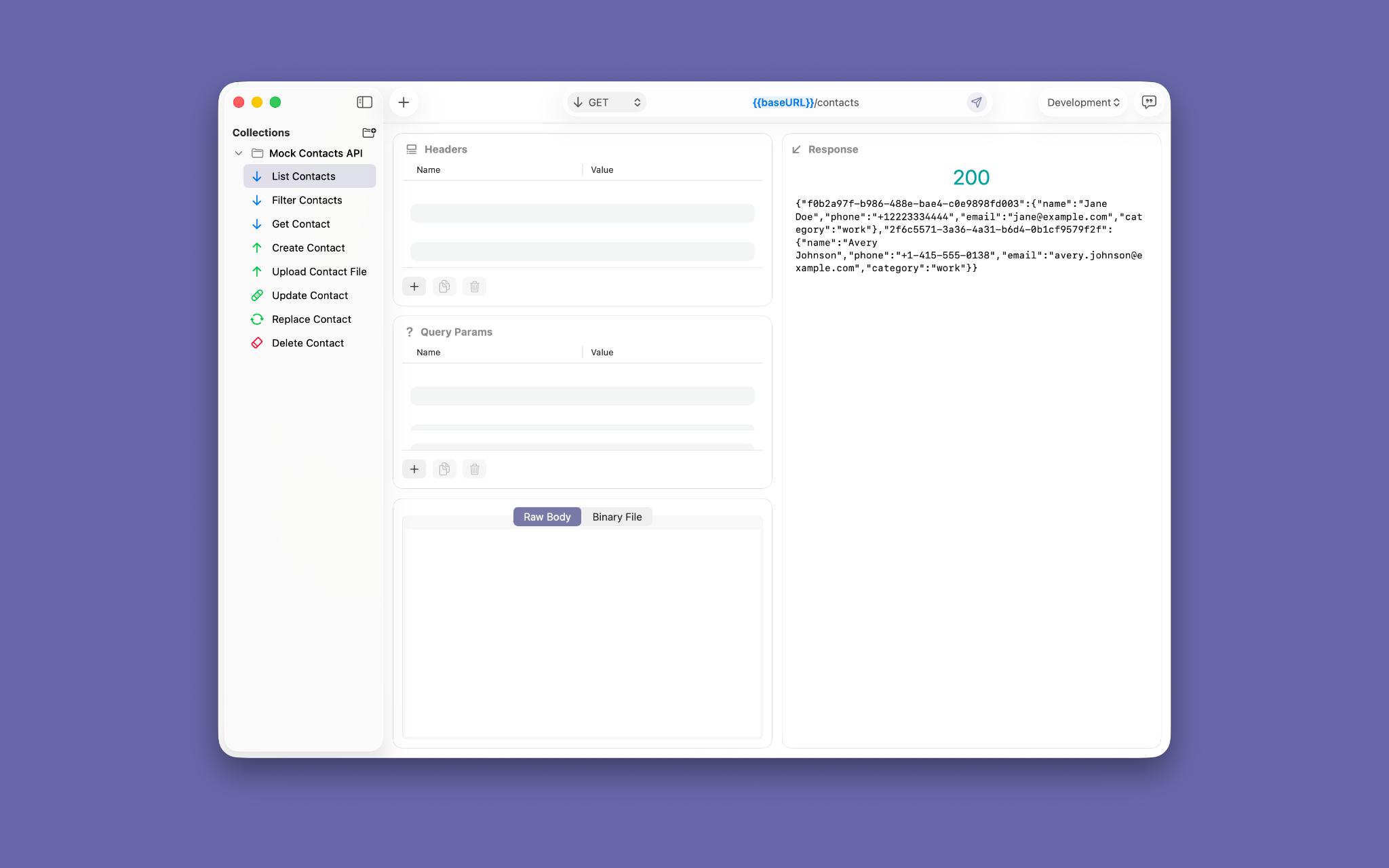
If you test APIs on a Mac every day, speed is mostly about removing small frictions: finding the right request, changing the method, adding headers, sending a payload, and checking the response without losing focus.
That is the core idea behind Requesto. It keeps the flow tight so you can move from an idea to a test without pausing to fight the interface.
Start With the Request You Already Have
The fastest way to test an API is usually not to begin from scratch. It is to reuse what you already know, make a few edits, and send the next version before the context gets stale.
Requesto supports that rhythm by making request editing feel direct. You can duplicate an existing endpoint, change its method, adjust the URL, and keep moving without hunting through nested panels or losing sight of the response area.
That sounds simple, but it removes a lot of waste. When the request editor is easy to understand, you spend less energy remembering where controls live and more energy thinking about the API behavior you are trying to verify.
If you want to compare GET, POST, and PUT variants, you can work through those changes as a sequence instead of as a series of interface puzzles. That creates a shorter path from intent to action and clearer context while you edit.
The same principle helps when you are testing on a local service that changes often. If the request shape is moving under your feet, a fast editor lets you keep up without losing the thread.
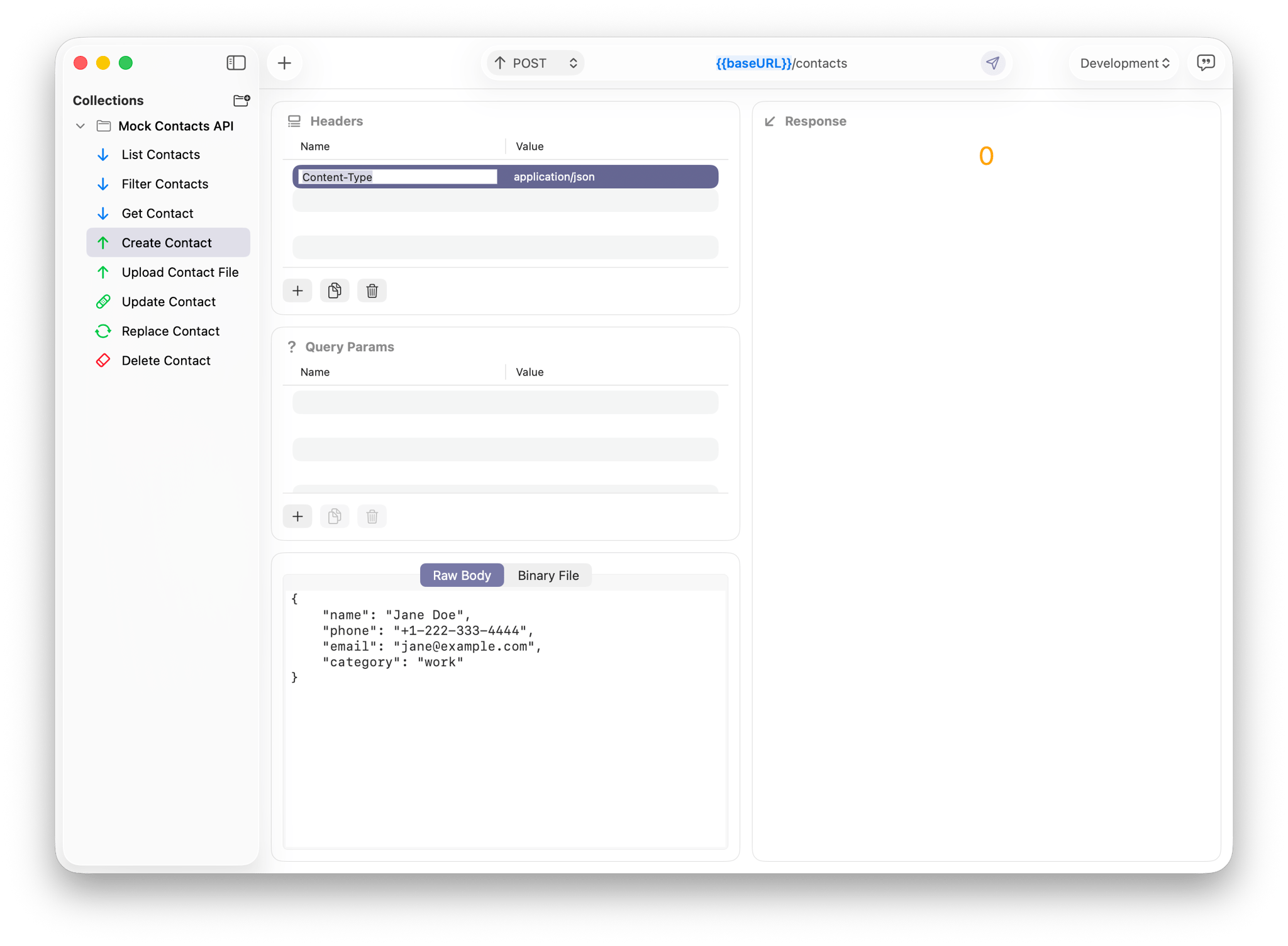
Keep Headers and Query Params Out of the Way
Headers and query parameters are tiny parts of the interface that can quietly consume a lot of attention. They are easy to dismiss until you need to add authentication, switch environments, or compare one request variant against another.
When those controls are hard to scan, you lose momentum. You start opening and closing sections, re-reading values, and double-checking whether a field is active or stale. That is the kind of friction that makes a simple API test feel heavier than it should.
Requesto keeps those details close to the request so they stay easy to manage during quick iterations. You can update a header, tweak a parameter, and keep the rest of the request in view, which makes changes feel like part of the same motion instead of a separate task.
This matters in real work because headers often carry the context that turns a request from “close enough” into “actually valid.” Authorization tokens, content types, and environment-specific values all need to stay accurate when you are moving quickly.
With a cleaner layout, you are less likely to lose track of what changed. That leads to fewer avoidable configuration mistakes and faster validation of each request variant.
Query parameters benefit from the same approach. When they are easy to see and edit, you can try edge cases, narrow a search, or reproduce a bug without rebuilding the request from scratch every time.
Send Payloads Without Rebuilding Everything
Once the request shape is right, the next bottleneck is usually the body. That is where many API clients slow down, especially when they make payload entry feel separate from the rest of the workflow.
Requesto keeps payload work practical. You can switch between request types, paste structured data, and send files or form content without tearing down the entire request and starting over.
That is especially useful on a Mac, where developers often work across local services, sample data, and small test files stored on the desktop or in a project folder. That means less ceremony around payload updates, a stable request to reuse, and clear comparisons between test runs when you are trying to isolate one variable at a time.
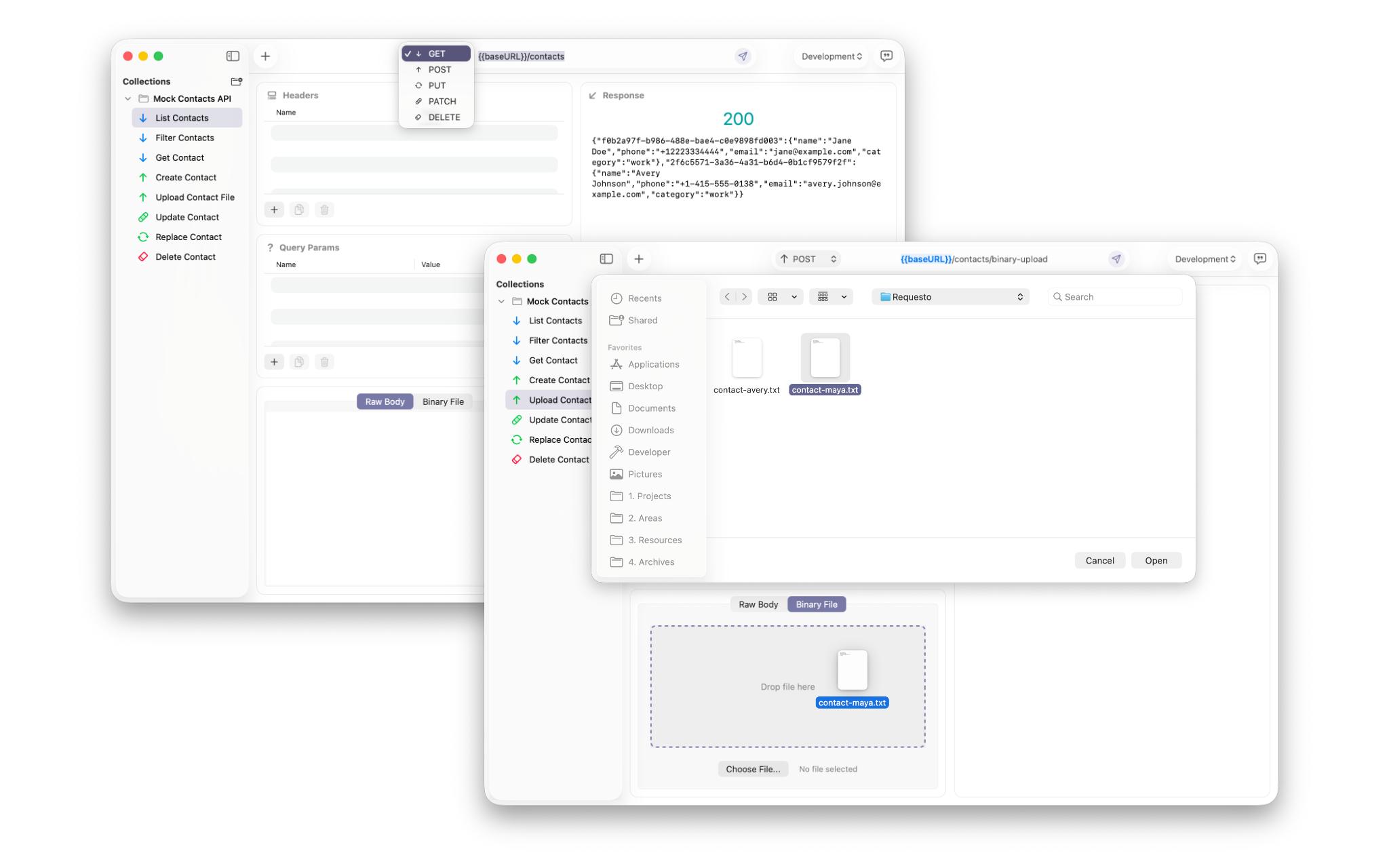
That repeatability is important when you are debugging. You want to isolate one variable at a time. A workflow that makes body editing feel lightweight helps you do exactly that.
It also reduces the temptation to create duplicate requests for every experiment. Duplication can be useful, but too much of it creates clutter. A better editing flow means you can keep a single source of truth and refine it as you go.
For teams, that pays off in communication as well. Shared requests are easier to understand when the structure stays stable and the differences between test runs are obvious.
In practice, this is where a lot of time disappears in other tools. They make payload work possible, but not especially pleasant. A faster Mac workflow removes the sense that you need to brace yourself before each edit.
Read Responses Fast Enough to Act
Sending the request is only half the test. The other half is deciding what the response actually tells you, and that decision needs to happen quickly if you are moving through a long list of checks.
Response review gets easier when the important parts are easy to scan. Status and body at a glance, cleanly separated response details, and no extra navigation overhead help you spot what matters before momentum drops.
Requesto is designed around that idea. It keeps the response visible in a way that supports quick inspection without distraction, so you can spot a problem, confirm a fix, or copy the result into the next step of your workflow without delay.
That is especially helpful when responses are large or noisy. A clean reading surface gives you room to focus on the signal: the field that changed, the status code that broke, or the missing value that explains the bug.
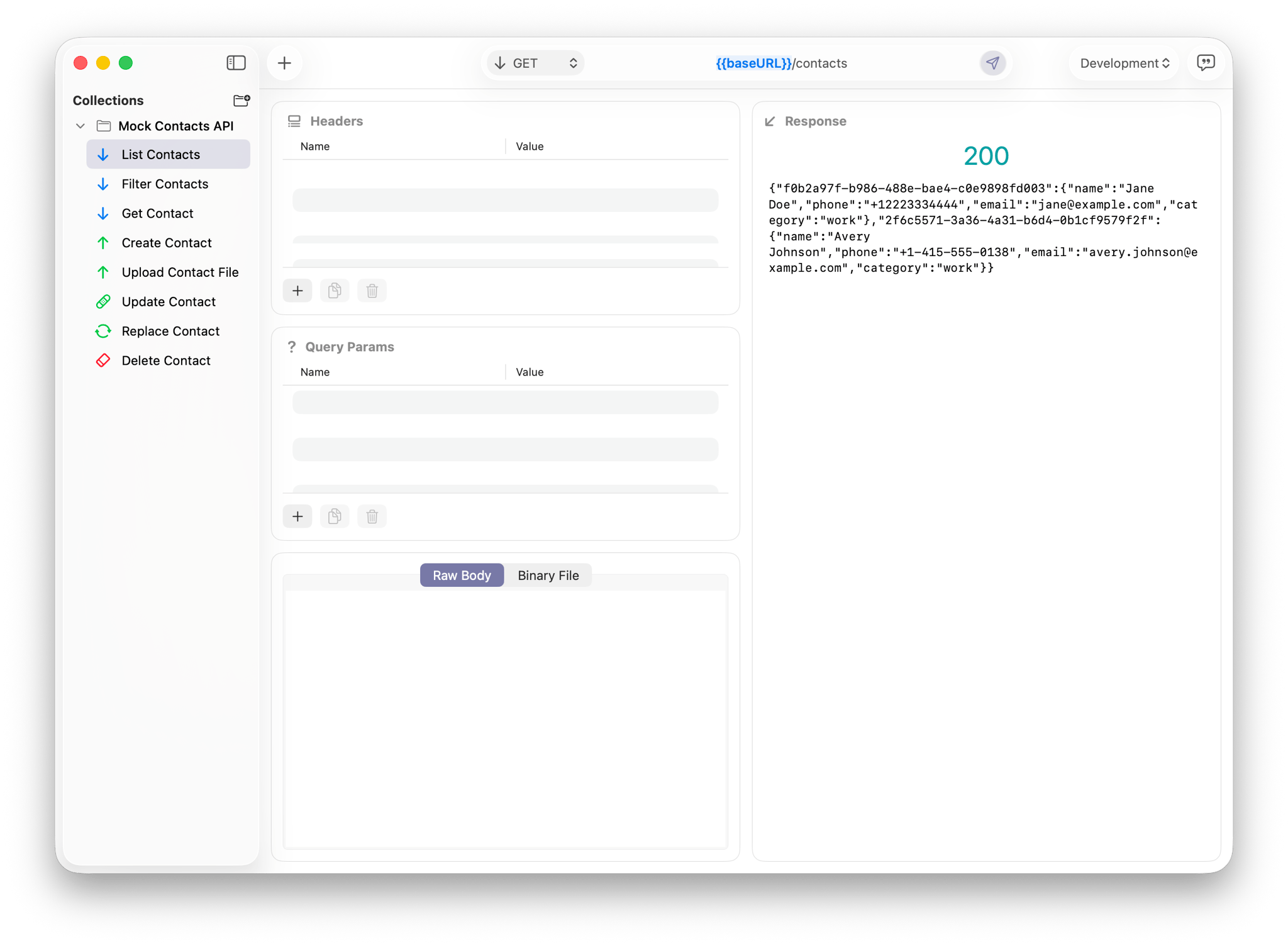
When response review is quick, testing becomes more iterative. You can send a request, inspect the result, make a correction, and try again while the issue is still fresh in your head.
That tighter loop is often the difference between productive debugging and endless backtracking. If the response viewer helps you stay oriented, your next decision comes faster and with more confidence. Clear output is easier to discuss with a teammate, easier to paste into a bug report, and easier to compare across environments when you need to verify a fix.
The larger point is simple: speed is not only about sending requests faster. It is about reducing the time between a result appearing on screen and the next decision you need to make.
Why Mac Users Feel the Difference
Mac users often care about the overall feel of a tool as much as its feature list. When a product fits naturally into a focused desktop workflow, it becomes something you can trust during repeated use instead of something you have to manage. That is where a calm desktop workflow, repeatable everyday testing, and less friction between actions make the biggest difference.
That is why the most useful speed gains are usually not dramatic. They come from small reductions in friction: easier request edits, clearer header management, faster payload updates, and response review without interruption.
Over time, those small savings matter. They make everyday API testing feel less like maintenance work and more like a straightforward part of shipping software. If you are looking for a cleaner Mac workflow, Requesto is built to help you get there with less resistance and more clarity.