Testing Binary File Upload APIs on Mac
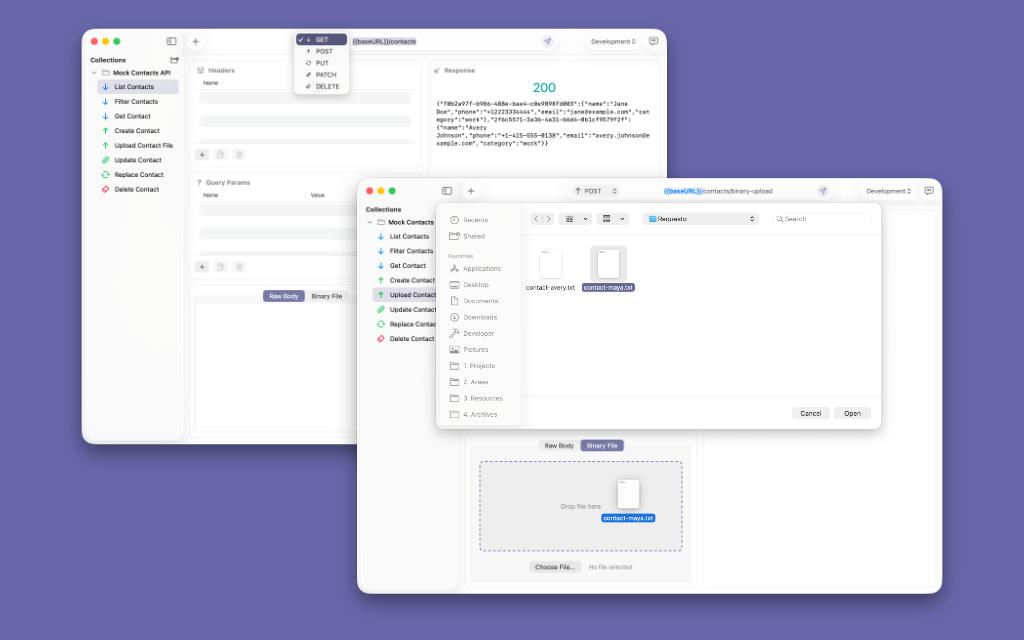
Binary upload testing sounds simple until the file itself becomes the source of friction. The moment you need to send an image, PDF, archive, or other raw payload, the quality of your API client starts to matter a lot more.
For many developers, binary requests appear in everyday integration work with real files and practical API checks under delivery pressure. You are not just sending bytes. You are confirming that storage, validation, headers, and server behavior all line up the way production expects.
That is why this workflow deserves more attention. A tool that handles binary uploads clearly can shorten the path between “I need to verify this endpoint” and “I trust the result.” Requesto is built around that tighter loop on macOS, with an interface that keeps setup, editing, and response review easy to follow.
Why Binary Upload Testing Is Different
JSON requests are easy to reason about because the payload stays visible. You can scan a field, spot a typo, and resend. Binary uploads work differently. Once the body becomes an image, PDF, archive, or audio file, you stop validating the payload by reading it and start validating the request by everything around it.
That makes request state more important than payload readability and small upload mistakes more expensive to catch. If the method is wrong, the content type is stale, the body mode is incorrect, or the wrong file is attached, the failure can look vague even when the backend is behaving correctly.
This is common in profile image endpoints, document ingestion APIs, exported report workflows, and internal tooling that accepts raw files. In those cases, the binary body is not a special case. It is the core behavior you are trying to verify.
That is also why binary upload support reveals whether an API client is actually comfortable to use. The question is not “Can it send bytes?” The question is whether it helps you confirm the exact request you are about to send before the debugging loop starts.
Common Failure Modes in File APIs
File APIs tend to fail in repeatable patterns. The most familiar one is the upload that looks correct from the client side but comes back with 415 Unsupported Media Type because the backend expected a different MIME type or body format. Another common failure is 413 Payload Too Large, which usually means the endpoint is healthy but the test file is outside the allowed limit.
There are also validation failures that land closer to business logic, such as 422 Unprocessable Entity when an image is missing required properties or a document parser rejects the file contents. Add authentication issues and environment mix-ups, and you get several classes of failure that look similar at first glance and a debugging loop that depends on fast comparison.
That is why binary testing is usually less about one perfect request and more about controlled variation. You may need to resend the same endpoint with a smaller file, a different extension, a corrected Content-Type, or a different method such as PUT instead of POST.
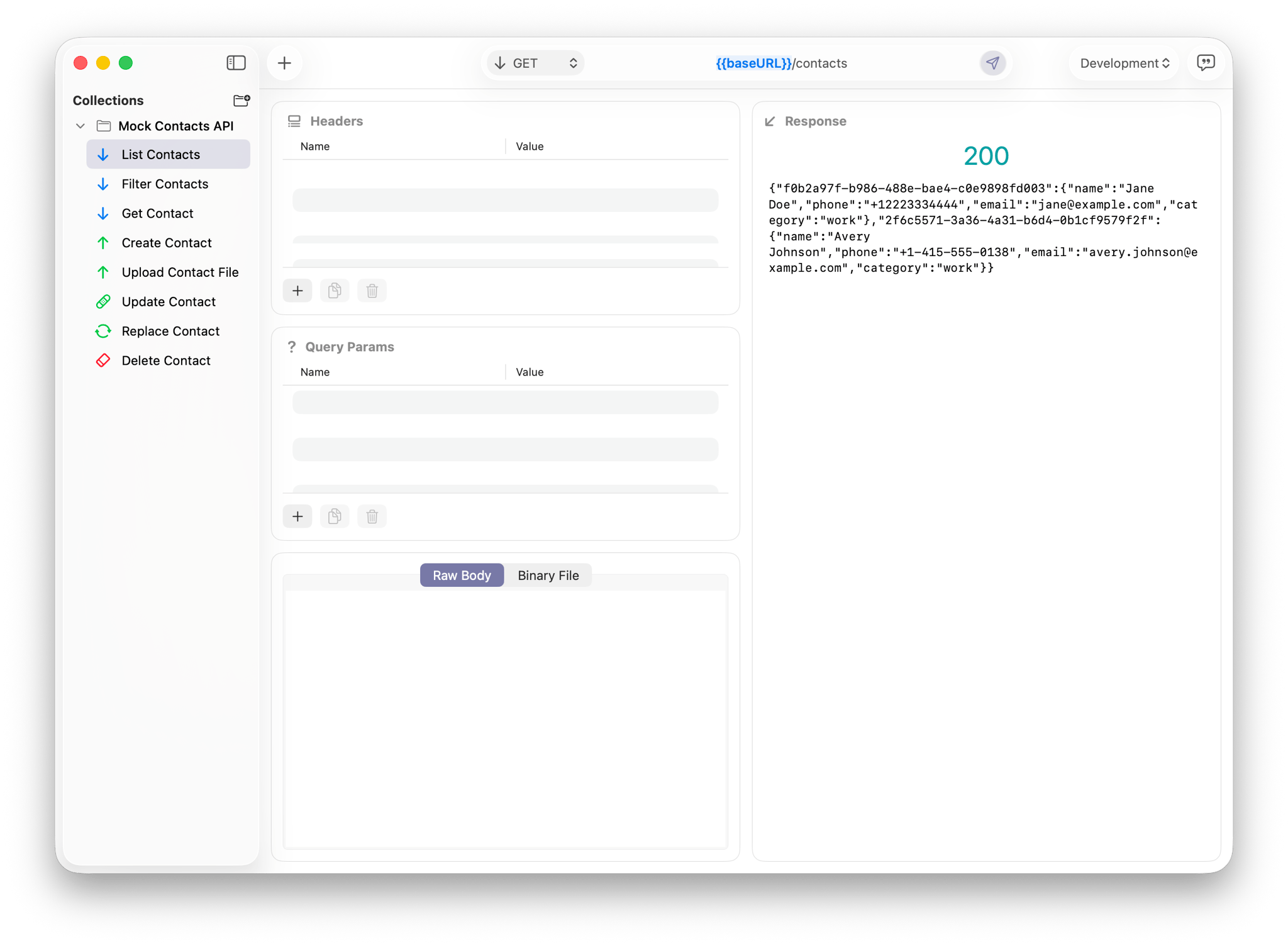
When the response area is easy to scan, those distinctions become much easier to spot. You can tell whether the server is rejecting the file itself, the request shape, or the authentication context. That difference matters because it determines what you change next.
A Simple Upload Walkthrough in Requesto
The most practical way to test a binary upload is to keep the workflow direct. Start with an endpoint such as POST /uploads/avatar or PUT /documents/{id}/file. Set the method, confirm the URL, and switch the request body into the binary upload mode instead of trying to simulate the file with text.
From there, choose a real file and send the request exactly as the production endpoint expects it. If you are validating an image API, use an actual image. If you are testing a PDF ingestion route, use a real document. That keeps the request closer to production behavior and the response easier to trust during debugging.
Now change one variable at a time. Try a larger file. Try a renamed extension. Try the request with the required auth header removed. If the backend distinguishes between raw binary and multipart form uploads, keep those tests separate so the result is unambiguous.
This is where Requesto feels more useful than a generic “send anything” interface. The file selection step stays close to the rest of the request, so you can verify the method, path, and body mode without bouncing through separate views. That helps you compare one upload run against the next without rebuilding the request from scratch.
When Raw Binary and Multipart Should Stay Separate
Not every file endpoint expects the same transport. Some APIs want the request body to be the file itself. Others expect multipart form data because the upload is bundled with extra fields such as a record ID, processing option, or user metadata. Mixing those patterns is an easy way to create false failures.
That is why it helps to think in terms of transport-level correctness before server-level diagnosis and clear request variants for each upload contract. If the backend expects raw binary, test raw binary directly. If the backend expects multipart, keep that as a separate request instead of mutating one request endlessly and losing the distinction.
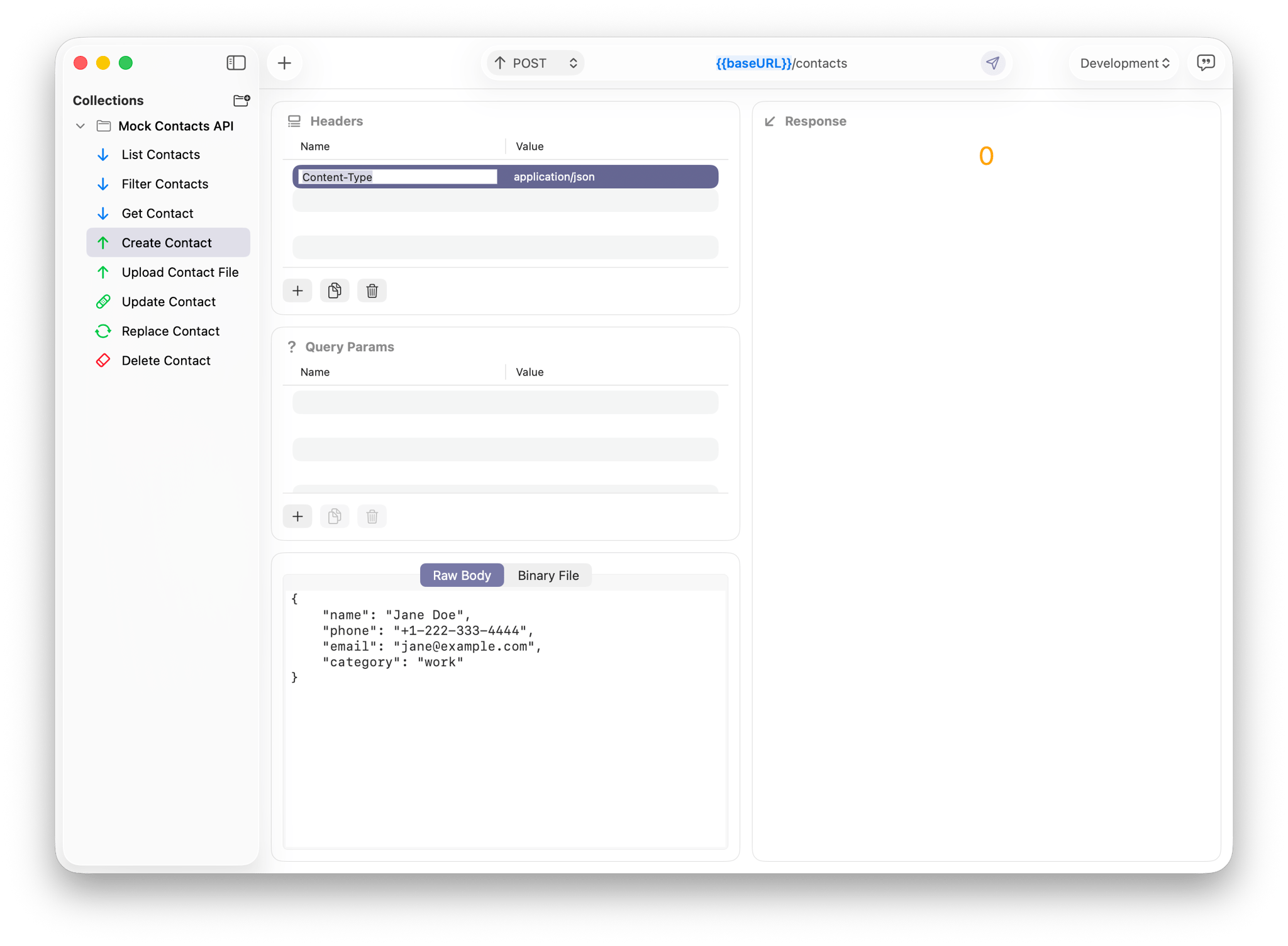
Headers become especially important here. Content-Type, authorization, and any upload-specific custom headers are often what determine whether the server even attempts to process the file. A clean request layout makes it much easier to confirm those details before each send.
This also helps when an API accepts both POST and PUT flows for different upload stages. You can preserve one request for initial creation, another for replacement, and compare the responses side by side without losing clarity about which contract you are exercising.
Faster Repetition Matters More on Mac
Mac developers often run these checks while moving between local files, staging hosts, and small backend fixes. The upload itself is only one step in a longer loop: select file, send request, inspect response, adjust one variable, and send again. A client that slows any part of that sequence turns a focused test into unnecessary maintenance.
That is where a calmer desktop workflow for repeated upload checks and a shorter path between file change and resend make a visible difference. You do not need a dramatic interface. You need one that lets you stay oriented while you test realistic files against changing backend behavior.
Requesto is well suited to that because it keeps the request editor and response review in the same readable workflow. You can swap a file, resend, and compare the outcome without the tool asking you to reconstruct context every time.
Better Binary Testing Starts With Clearer Requests
Binary upload testing becomes much easier when each request reflects the real contract you are trying to verify: the right method, the right body mode, the right file, and the right headers. That is the difference between guessing at upload failures and isolating them quickly.
Requesto gives you a clearer workflow for real file API contracts and a faster Mac loop for repeated upload validation. If you want to try that workflow yourself, use the Mac App Store button below to download Requesto and start testing binary uploads with less friction.